

Red Pay Membership Visa Card
- Home
- Events & Promotions
- Red Pay Membership Visa Card
Red Pay Membership Visa Card
Benefits & Steps of Red Pay Membership Visa Card (Purchase Red Pay Membership Visa Card at Any Red Box Plus & Red Box outlets)
Benefits of Red Pay Membership Visa Card
Enjoy Red Box Membership Benefits at Any Red Box Plus & Red Box outlets.
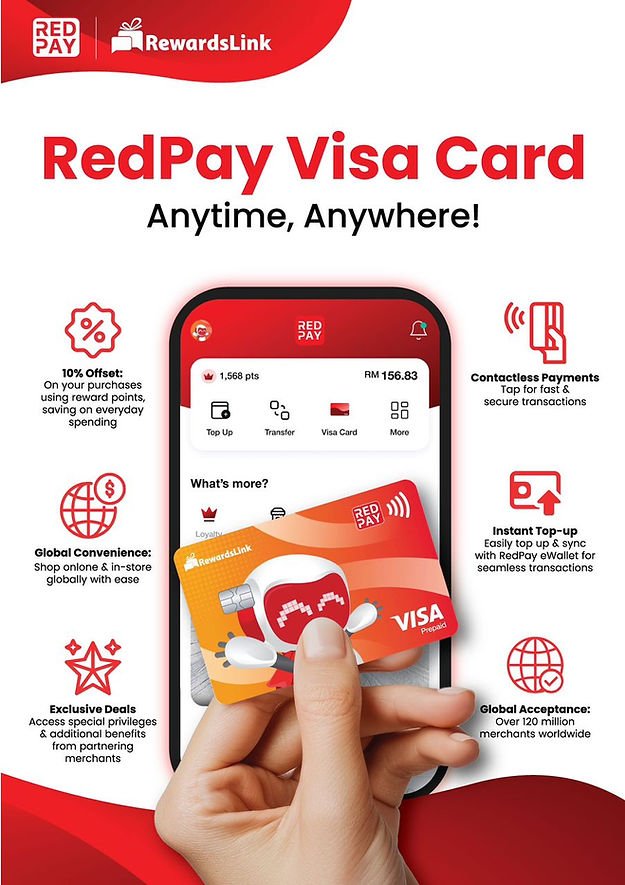
10% Offset: Use reward points to offset payment.
Contactless Payment: Tap for fast & secure transactions.
Instant Top-up: Easily top up & sync with RedPay eWallet for seamless transactions.
Exclusive Deals: Access special privileges & additional benefits from partnering merchants.
Global Convenience: Shop online & in-store globally with ease.
Global Acceptance: Over 120 million merchants worldwide.
1. How to Register Red Pay Account:
STEP 1: Click sign up
STEP 2: Enter your mobile number
STEP 3: Click next
STEP 4: Enter the OPT you receive
STEP 5: Enter your email and create a password
STEP 6: The click sign up
STEP 7: Create your wallet pin
STEP 8: Re-enter your wallet pin
STEP 9: You have done the registration
2. How to Activate Visa Card
STEP 1: Click Visa card
STEP 2: Select I have the 15 digit tracking code
STEP 3: Click next
STEP 4: Enter the 15 digit tracking code
STEP 5: Click confirm
STEP 6: Click pay
STEP 7: Click activate
STEP 8: Enter your wallet pin
STEP 9: Enter last 4 digit number of your card
STEP 10: Click activate
STEP 11: Create a pin for your card
STEP 12: Re-enter the pin
STEP 13: You have done activated your card
P/S: Red Pay Visa Card is NOT TRANSFERABLE.
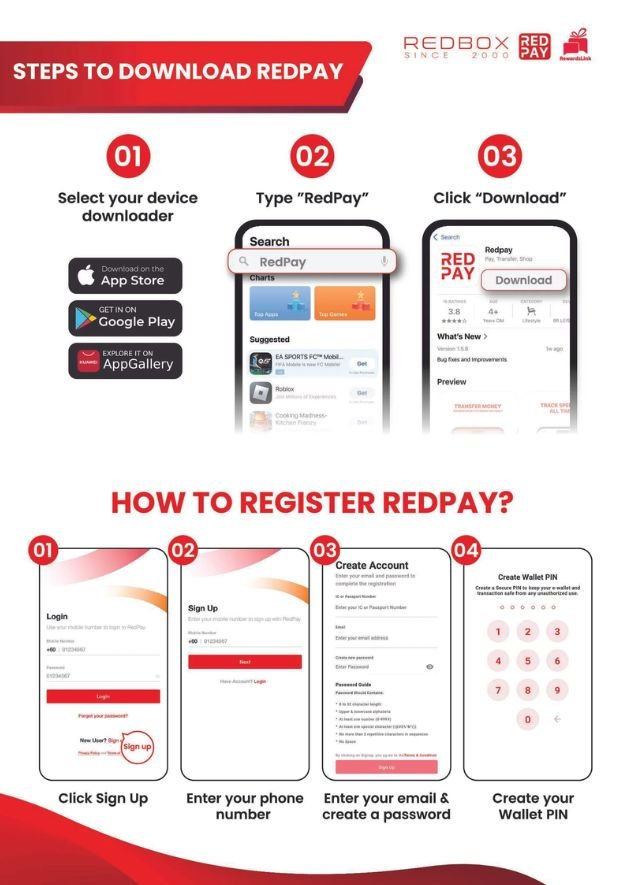
Steps to Download redpay
𝗦𝘁𝗲𝗽 𝟭: Download Redpay from your device downloader
Step 2: Type Redpay
Step 3: Click Download
1. Click Sign up
2. Enter your phone number
3. Enter your email& Create a password
4. Create your Wallet Pin
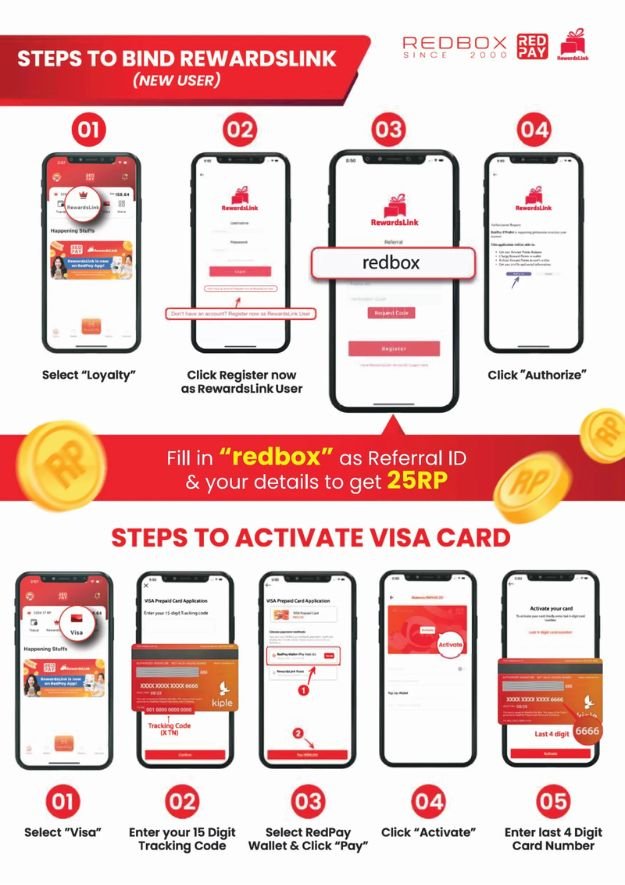
Steps to bind Rewardslink
1. Select Loyalty
2. Click Register now as Rewardslink member
3. Fill in “redbox” as Refereal ID
4. Click “Authorize”